Event registration that fits your event
One form for a one-day event or a program of several weeks, with the tickets, questions and extras you need.
One form for everyone you register
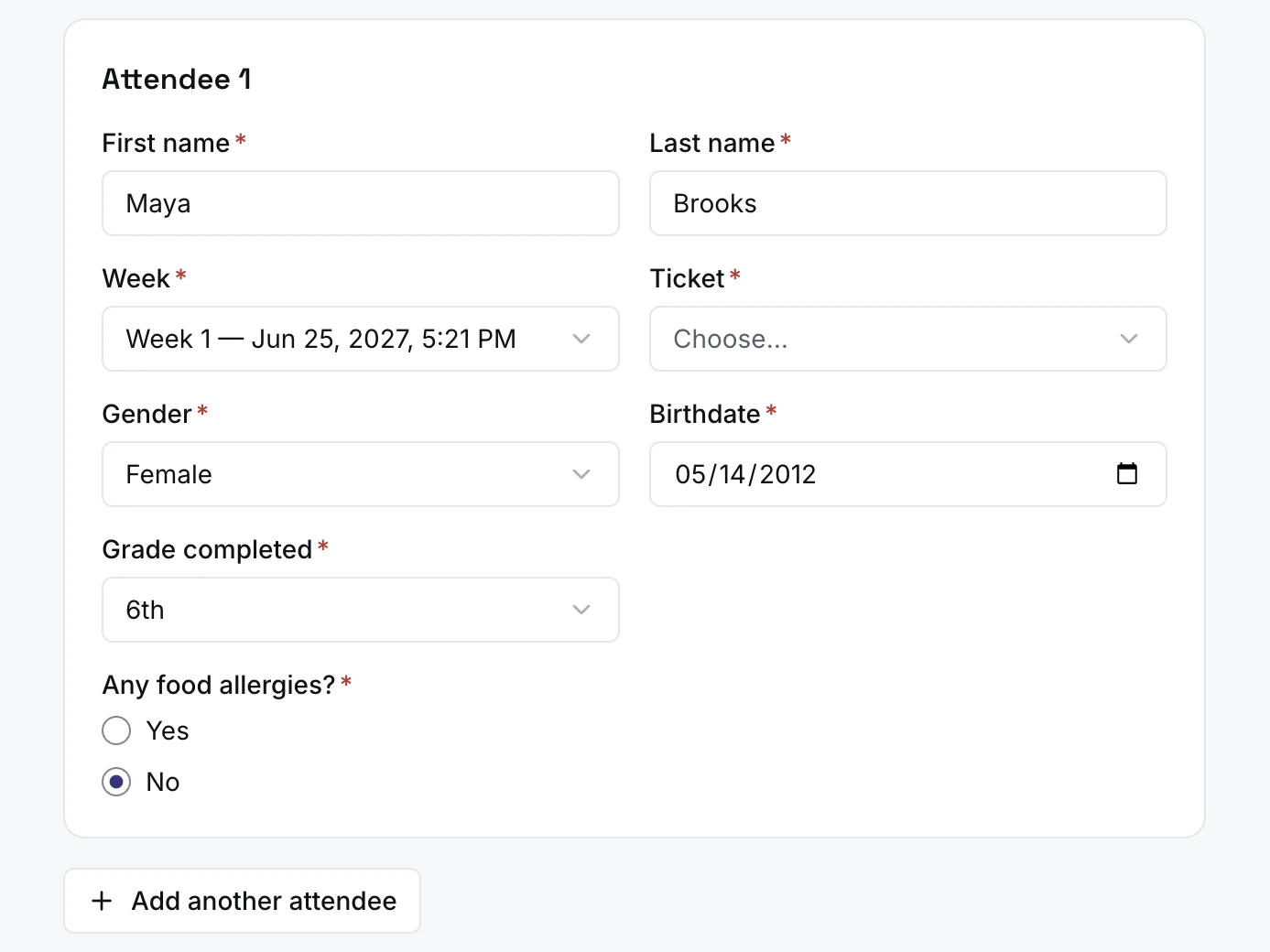
People add each attendee with their session, ticket and details, answer your questions, and pay once for everyone.
Ask for gender, birthdate or grade only when your event needs them.
Everything in registration
Tickets and prices
- Ticket types, each with its own price and quantity
- An early-bird price until a date you choose
- A capacity for the event and for each session; registration stops when it is full
One day or many sessions
- One-day events, or programs with several sessions
- Each session with its own dates
- People choose their session as they register
Attendees
- Several attendees in one registration, paid for together
- Gender, birthdate or grade, only if you turn them on
- Your own words for attendees and sessions
Custom questions
- Short or long answers, a dropdown, multiple choice, checkboxes or yes and no
- Questions asked once, or for each attendee
- Make any question required
- Questions that appear only after a certain answer
Add-ons
- Extras such as T-shirts, with sizes and stock that stops selling at zero
- Sold for each attendee, or once per registration
- Add-ons offered only in certain sessions
Coupons and scholarships
- Coupons: an amount off, or free after a number of attendees
- A use limit on each coupon
- Scholarship requests, with amounts you suggest, which you review and approve
Opening and closing
- Registration that opens and closes on a schedule
- Places held while someone pays, then released if they don’t finish
Your event page
- A page listing your events, and a page for each one
- Dates, place, prices and places left, with a header image and description
- Public, unlisted, or published at a time you choose
- Share it with a link or a QR code
- People log in with a code sent to their phone
- Sessions, add-ons, a bed, a coupon and a scholarship request in one form
Registration is included in every plan
- Free for events up to 250 people
- No fees on your tickets
- Paid adds lodging, bigger events and unlimited users
Registration FAQ
Can people register on their phone?
Yes. The event page and the registration form work in any phone browser. There is no app to install.
Do people need an account or a password?
No password. They enter their phone number, type the code we text them, and fill in the form.
Who fills in the form?
You choose for each event: attendees register themselves, or one person registers others. Either way, one registration can hold several attendees, paid for together.
Can I hide an event, or choose when it goes public?
Yes. A new event is a draft until you open registration. Then it can be public on your events page, unlisted so only people with the link find it, or scheduled to appear at a time you choose.
Can I close registration early, or reopen it?
Yes. Close registration at any time and reopen it whenever you like. You can also set it to open and close on its own at dates you choose.
What happens if someone doesn’t finish paying?
Their places are held for 40 minutes while they pay. If they don’t finish, the places go back to everyone else.
Can someone pay later, or pay part?
Online, people pay the full amount as they register. For anything else, record cash or check payments of any amount, or copy a payment link for all or part of the balance and send it to whoever is paying.
How do coupons work?
People type a code as they register. A code takes a set amount off the whole registration, or makes every attendee after the first few free (add-ons are still charged). You can limit how many times each code is used.
What is a scholarship request?
People can ask for help with the cost as they register, choosing from amounts you offer. They are not charged, and their places are held while you review. You approve an amount or decline, and they get an email with up to a week to pay what is left.
Do people get a confirmation email?
Yes, once their registration is complete. It lists the event, dates, place, attendees and what they paid, with your own message if you wrote one, such as what to bring, and a link back to their registration. Their answers to your questions are left out.
Can I edit a registration after someone signs up?
Yes. Change the registrant’s name, an attendee’s name, gender, birthdate or grade, or the answers to your questions. You can also move an attendee to another session and choose whether to email them about it.
Can I cancel one attendee?
Yes, from a paid registration, or cancel the whole registration. Their place opens up again right away. Refunds are a separate step, for all or part of what was paid.
Can I see who registered?
Yes. The roster lists every registration and attendee, with search and filters by session, ticket and scholarship. Open one to see their answers, payments and notes.
Can I reuse an event next time?
Yes. Duplicate it, and the copy starts as a draft with the same sessions, tickets, questions, add-ons and coupons. Registrations are not copied.