Rooms and beds, booked while people register
No more spreadsheets of who sleeps where. People choose a bed, or a whole room, as they register, or your team places them, and you see every room at a glance.
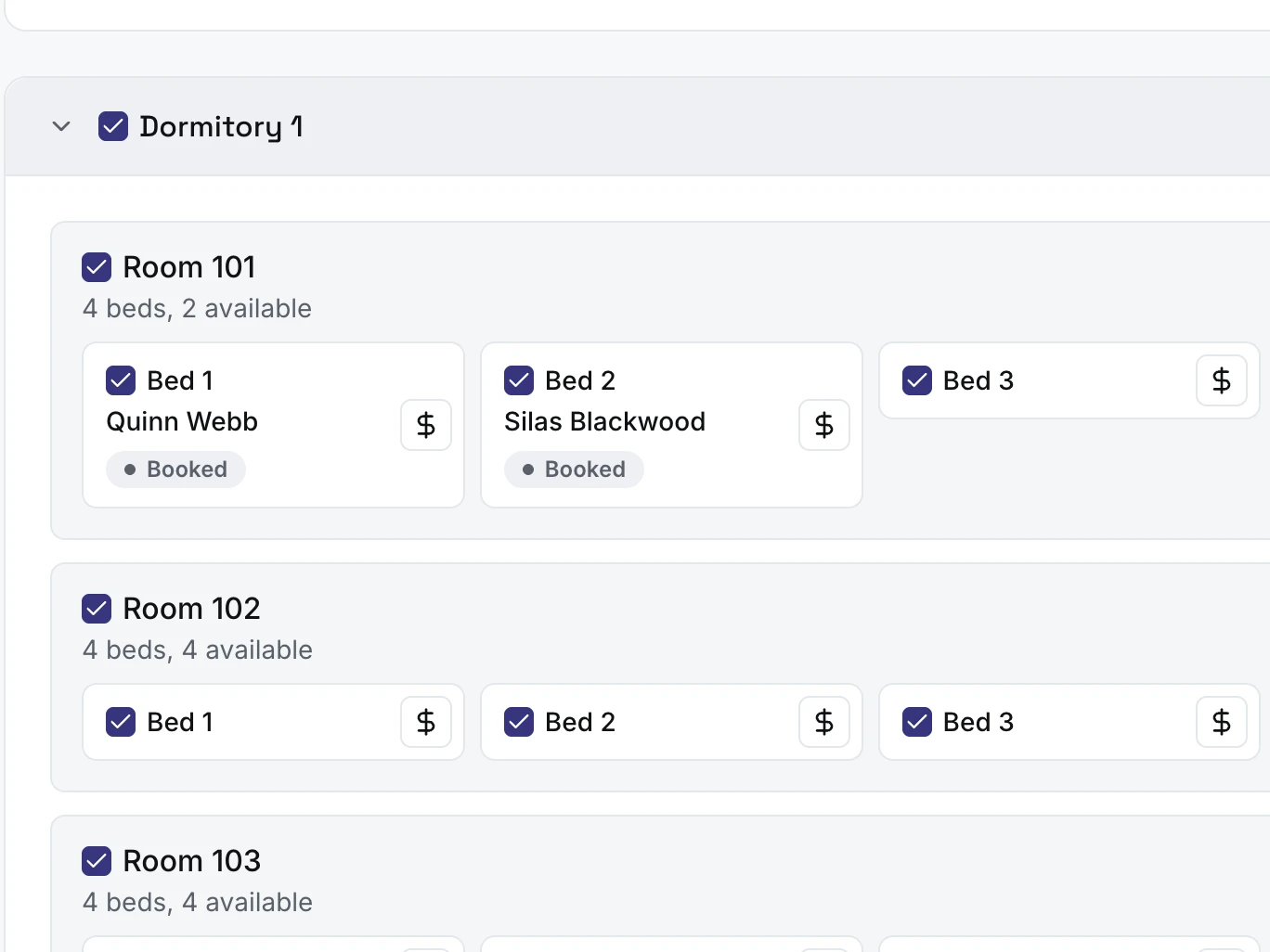
Choose the rooms and beds each event uses
Set up each location once, with its buildings, rooms and beds. For every event, tick the ones it uses, untick any you want to leave out, and set a price on a bed or a room if you charge for it.
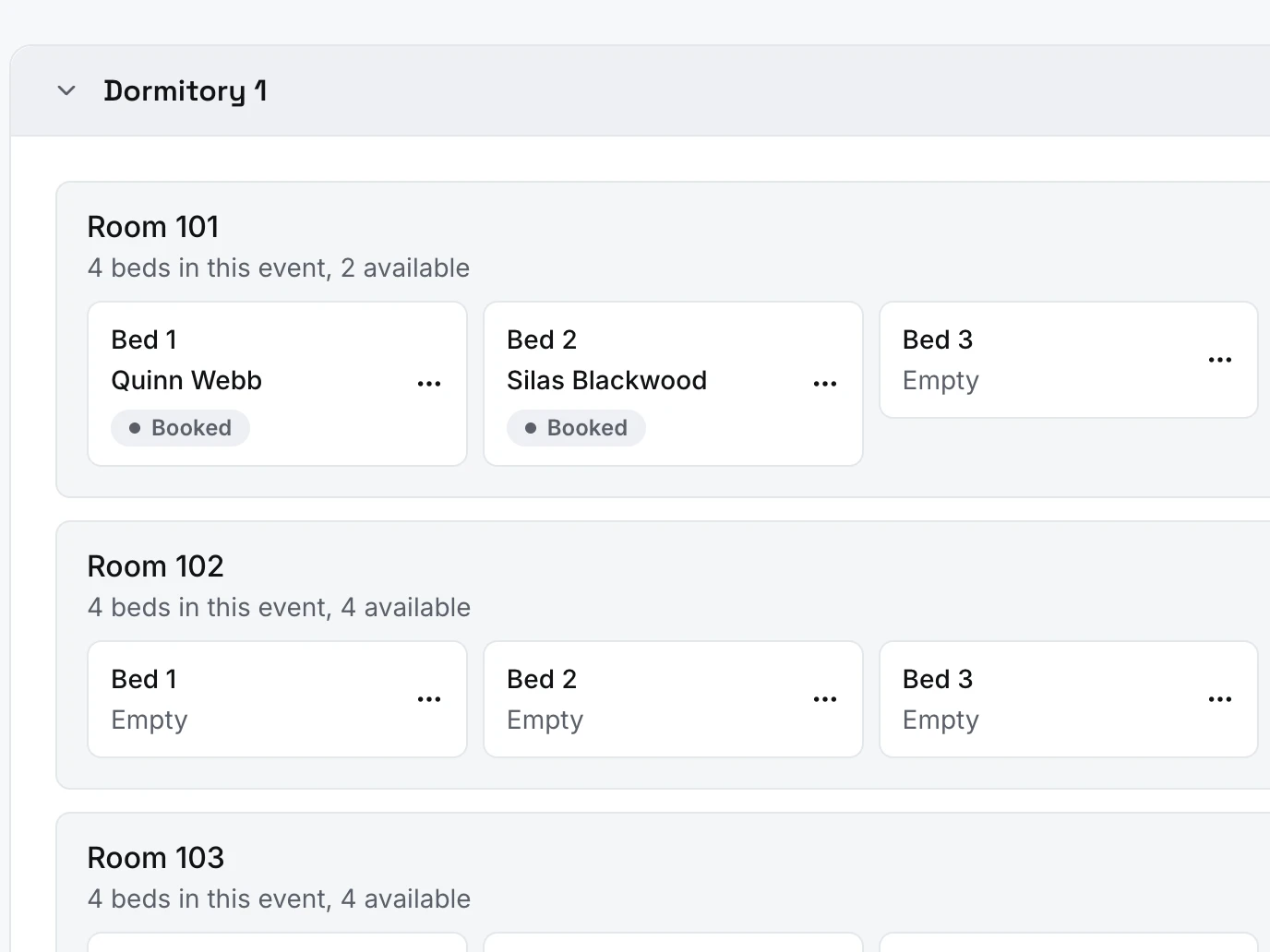
Every bed, and who is in it
Room by room, see which beds are booked and by whom. Assign, move or remove people right from the board, and add a note to a bed.
Everything in lodging
Your places to stay
- Locations, buildings, rooms and beds, set up once and reused
- Bunks, accessible beds and rooms for one gender
- Paste an outline to add rooms and beds in one go
For each event
- Choose the places each event uses and leave out any room or bed
- Hold beds or rooms back
- Prices per bed or per room, set for each event
Choosing a bed or a room
- People pick a bed, or a whole room, for each attendee while they register
- They can see who is already in each room, if you allow it
- Or your team places everyone
Bed board, rosters and emails
- A bed board to assign, move and remove beds, with notes
- Printable lodging rosters: one sheet per building, room by room, one line per bed
- An optional email when someone’s bed is assigned, changed or removed
Lodging is part of the Paid plan
- $19 a month or $190 a year
- Events of any size and unlimited users
- Start free, upgrade when you need it
Lodging FAQ
Do I need the Paid plan?
Yes. Lodging is part of Paid, $19 a month or $190 a year. You can set up your places to stay on Free, and turn lodging on for an event once you upgrade.
What happens to lodging if we stop paying?
Nothing is deleted, and events already running keep their beds. You can’t turn lodging on for another event, or open an event that has it, until you subscribe again.
Who picks the beds, people or our team?
You choose for each event. Either people pick a bed for each attendee as they register, or your team places everyone on the bed board afterwards, and people never pick a bed or see a bed price while registering. They can still be emailed their beds once you are done.
Can I make sure everyone gets a bed?
Yes. Turn on “Require a bed” and nobody can finish registering without one. The event can’t open with fewer beds than places, so nobody is promised a place without a bed.
Can people choose who they room with?
If you turn on bed names, people see who is already in each room, by first name and last initial, and can pick a bed beside them. It is off until you turn it on.
Can someone book a whole room?
Yes. Set a room to be booked by the bed, as a whole room, or either. A whole room is charged once at its room price, and its other beds are kept for that registration.
Can I charge for a bed, or keep it free?
Both. Give each bed or room a price, change it for one event, or set it to free. Each person pays the price they booked at, even if you change it later.
How do rooms for one gender work?
Mark a room for men only or women only, and only attendees of that gender can be placed in it, by people registering or by your team. The event must collect gender: it can’t open with a one-gender room until Collect gender is on, and someone with no gender recorded can’t be placed there.
Can I keep some beds back?
Yes. Put a hold on a bed, with a note if you like, or on every empty bed in a room, and nobody registering can take it. Or mark a building, room or bed for your team only: it never shows as available, and your team can still assign it.
What happens to a bed if someone doesn’t pay, or cancels?
A bed picked during registration is held while they pay, and goes back to everyone if they don’t finish. When an attendee is cancelled, their bed opens up again right away. A room booked whole stays booked until everyone on that registration is cancelled.
Does it work for an event with several sessions?
A bed is booked for the whole event, not for each session. To book beds for each session separately, run each session as its own event.
Do people hear about their bed?
When your team assigns, changes or removes someone’s bed, they can get an email about it. When your team places everyone, you can send each registration its beds in one go once you are done.
What is on the printed roster?
One sheet per building, room by room, with a line for each bed: the person’s name, their grade or age if you ask for it, and your note. Empty beds print as a blank line to write in.